


Groupon – Deals & Coupons
4.4333.76K Reviews
App Specs
- Version
- 26.12.0
- Updated On
- License
- Free
- Downloads
- 100,000,000+
- Developer
- Groupon, Inc.
- Categories
- Shopping
- Platform
- Android, iOS
Screenshots
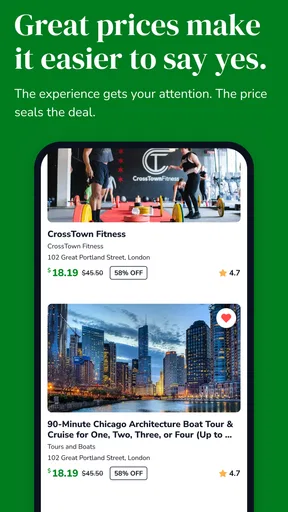
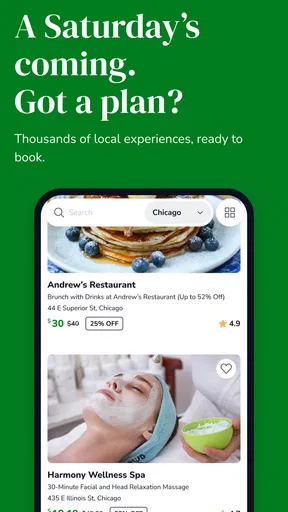
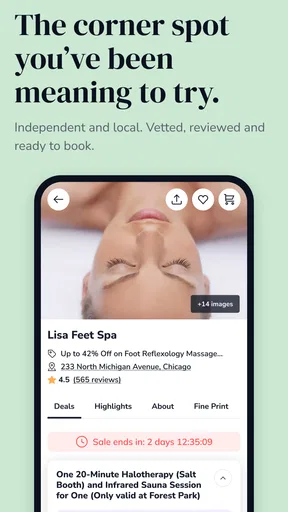
 Analysis by AppCompare
When I open Groupon – Deals & Coupons, I am not looking for a general shopping marketplace where I browse endlessly and hope something catches my eye. I use it more like a local opportunity board: I check what is available near me, compare the real value with what I would normally pay, and only then decide whether the deal deserves my time. That difference in mindset makes the app much more useful.
Groupon is a free shopping app from Groupon, Inc., built around discounted activities, services, food, travel and products. Its long presence on mobile, beginning on July 15, 2010, is reflected in the size of its audience: it has passed 100 million installs and holds a 4.4 average from around 1.7 million ratings, with roughly 334 thousand written reviews. Those figures suggest a mature service, but they do not remove the need to read each offer carefully. The quality of a deal depends heavily on the merchant, the restrictions and whether the purchase fits your plans.
How I use Groupon without turning shopping into a chore
I keep my use of Groupon tied to a real plan: a meal I already want, a service I need, or an outing I can fit into my week. That simple boundary helps me browse with purpose instead of treating every discount as a reason to spend. Next, I look at the small setup checks that make local offers more relevant and easier to act on.
Start with location and a clear purpose
My baseline workflow is simple. I set the location I actually care about, choose a broad area such as things to do, beauty, food or services, and then narrow my search only when I know what I want. If I begin by scrolling through every category, the app can become a stream of tempting discounts rather than a practical way to save money.
A better example is planning a low-key weekend. I might search for a nearby restaurant, an activity suitable for two people or a service I already intended to book. I then open several offers instead of buying the first one with a large percentage reduction. The important question is not whether the discount looks impressive; it is whether the final price, location and conditions work for me.
This is where Groupon differs from ordinary coupon apps. A traditional coupon app is often best when I already know the store and want a code at checkout. Groupon is more discovery-oriented. It can introduce me to local experiences and services, but that convenience comes with more homework. I may need to check appointment rules, eligible days, redemption instructions and whether the offer covers exactly what I thought it did.
Read the offer page like a contract
The most valuable habit I developed is opening the full deal details before placing an order. The headline usually tells me the broad promise, while the fine print explains how the purchase behaves in real life. I look for expiration information, blackout periods, quantity limits, reservation requirements and whether the voucher is intended for one person or several.
Worth Reading Before You Choose

Baby Panda World Brings Quick Play to Modern Phones, but Its Game Library Feels Busy

ESPN’s Live Game View Makes Following Close Games Easier

QuizzLand Review: A Good Fit for Short Trivia Breaks, Not Every Player

Basketball Stars: Multiplayer Is Fast, but Can It Recover When Matches Go Wrong?

WEBTOON Turns Phone Updates Into a Better Reading Routine

Link to Windows Runs on Shared Habits, Not Social Feeds
I also pay attention to the difference between a service and a product. A discounted massage, class or restaurant visit may require coordination with the business. A physical item may involve delivery expectations and product-specific conditions. Treating every listing as if it were an instant, universally usable coupon is the fastest way to have a disappointing experience.
For a restaurant deal, I would check whether the voucher can be used on weekends, whether a reservation is needed and whether gratuity or extra charges are handled separately. For a beauty appointment, I would confirm the participating location and book before the voucher gets close to its end date. These checks take a little longer, but they are more important than the size of the advertised saving.
Use the app to compare value, not just discounts
A percentage reduction can be persuasive, yet it is not always the best measure. I compare the Groupon price with the ordinary price I can find directly from the business, especially for services and activities. I also consider travel time, parking, booking effort and whether I would have bought the item without the promotion.
That last question is surprisingly useful. If I spend money on something only because it is discounted, I may not be saving at all. Groupon works best when it turns an existing intention into a cheaper purchase or makes a realistic plan more affordable. It is less useful when it encourages me to collect vouchers for activities I probably will not schedule.
What the large catalog does well
The app is strongest when I want to explore locally without contacting every business one by one. I can see different kinds of offers in one place and move from an idea to a possible booking quickly. That is especially convenient for gifts, date planning, family outings or trying a service for the first time at a lower entry price.
It can also help when I am flexible. If I know I want an activity but do not care which specific provider I use, browsing several nearby offers can reveal options I would not have searched for directly. In that situation, Groupon acts as a filter for local possibilities rather than merely a place to retrieve a coupon.
Settings and account habits worth checking
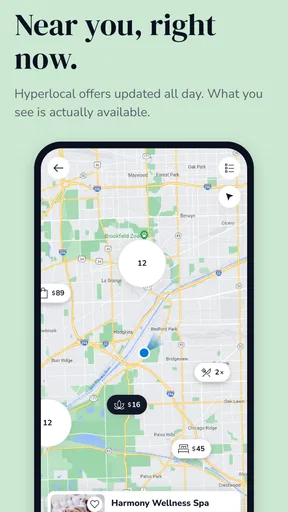
Experienced use starts with keeping the app focused. I review the location shown in the app because local relevance matters more here than it does in many shopping applications. An outdated location can fill the screen with offers that look attractive but are inconvenient or impossible to redeem.
I also check notification preferences rather than allowing every alert to compete for attention. Deal apps are naturally designed around urgency, but not every expiring promotion deserves an immediate response. I prefer alerts that help me notice relevant purchases while avoiding a constant stream of impulse triggers. The exact options can vary by device and app version, so I treat notification control as something to review after installation and again if the app changes behavior.
Account details deserve the same attention. Before buying, I make sure the email address and payment information are correct and that I understand where purchased vouchers will appear. This is not glamorous advice, but it prevents a common mistake: completing a purchase quickly and then spending more time searching for the confirmation or redemption instructions.
The current version is 26.12.0 and the app supports devices running Android 8.0 or later. That makes it accessible on a wide range of Android phones, although an older device may provide a less comfortable browsing experience than a newer one. I would keep the app updated through the normal store process, particularly when I rely on it for vouchers that need to be displayed during a booking or visit.
Build a repeatable search routine
My faster pattern is to search with an intention, save interesting possibilities mentally or through the app’s available shopping flow, and return only when I am ready to compare. I avoid starting with the biggest-looking discount. Instead, I first identify the service, neighborhood and date range that make sense, then judge the offer.
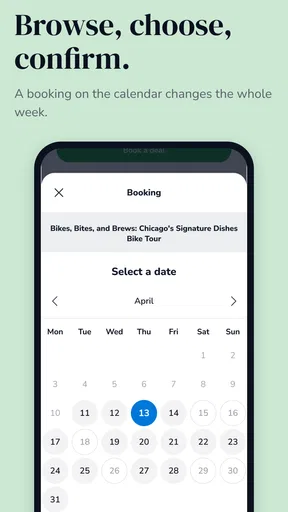
For recurring needs, I use a simple calendar habit. If I buy a voucher for a service that requires an appointment, I make a reminder to schedule it soon after purchase. This is more reliable than assuming I will remember because the discount felt like a bargain. The app can help me find the purchase, but it cannot make an unused voucher fit into a busy week.
Another useful pattern is separating browsing from buying. I may look through offers while planning a weekend, but I wait until I have checked opening hours, travel distance and the merchant’s conditions. This small pause reduces accidental purchases and makes the app feel more like a research tool than a source of shopping pressure.
Use categories according to the decision you need to make
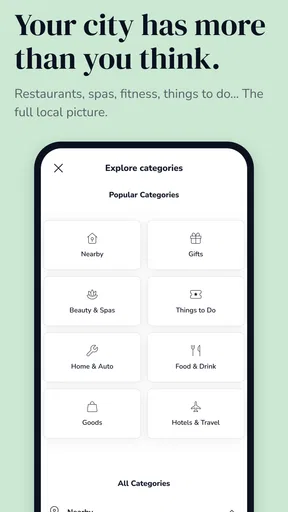
If I am buying a gift, I focus on flexibility and ease of redemption rather than maximum discount. A complicated offer with narrow availability may be a poor gift even if the price looks excellent. For personal services, I prioritize location and appointment availability. For food, I look closely at the usable days and any spending conditions. For products, I compare the total value with familiar retailers instead of assuming the voucher or listed price is automatically competitive.
This category-based approach is one of the app’s less obvious strengths. Groupon is not equally useful for every purchase. It is most effective when the offer has a clear practical purpose and the conditions are easy to fit into my routine. The more flexible I am about timing and provider, the more value I tend to get from browsing.
Where the faster approach stops working
Speed has limits. I would not rush through checkout for a time-sensitive activity, a service involving appointments or a purchase with complicated terms. A quick purchase is only faster if it does not create a later problem. Reading the details first is usually the shortest route to a successful redemption.
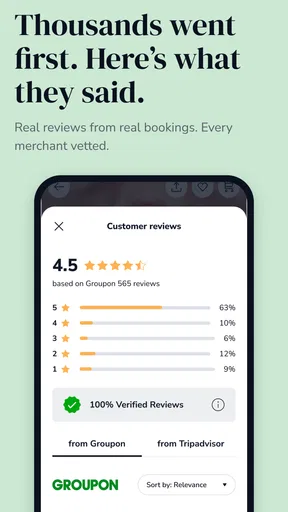
I am also cautious about treating a merchant’s presence on the platform as a personal recommendation. Groupon brings the offer and transaction flow together, but I still judge the business itself. I consider the written feedback, the clarity of the listing and whether the deal description answers basic practical questions. A discount cannot compensate for a provider that is far away, difficult to schedule or poorly matched to what I need.
The advanced trade-off: discovery versus certainty
The app’s discovery model is both its advantage and its limitation. Compared with buying directly from a business, Groupon can make comparison easier and reduce the initial cost. Buying directly may be better when I want a specific appointment time, a familiar customer-service process or a straightforward cancellation conversation.
Compared with dedicated coupon extensions or retailer loyalty apps, Groupon is broader but less specialized. A retailer’s own app may provide more direct information about inventory, delivery and returns for that retailer. A local booking service may show appointment availability more clearly. Groupon is the better first stop when I want to explore several kinds of local deals, not necessarily the final stop for every purchase.
I also would not recommend it to someone who dislikes promotional browsing or has little flexibility in their schedule. The app can show an attractive offer, but the best value often requires planning around a merchant’s conditions. If I need something immediately, need a guaranteed time or already know the exact product and seller, a direct purchase is often simpler.
How I handle vouchers after buying
After purchasing, I do not leave the voucher buried in my account until the last minute. I open the order, read the redemption steps again and contact the merchant when an appointment is required. For an outing, I confirm the address and timing before leaving home. For a gift, I make sure the recipient understands that the deal may have conditions rather than presenting it as unrestricted cash.
This workflow answers one of the practical questions new users often have: is buying the voucher the end of the process? In my experience, it is only the midpoint. The value comes from successfully turning the digital purchase into the service, meal, activity or product described in the listing. Keeping the instructions available and planning the next action immediately makes that much more likely.
Privacy, age rating and the tone of the app
The app carries a Mature 17+ content rating. That is worth noting for households where a younger person may use a shared device, although the shopping experience itself is what I mainly notice. I would still treat it as an account-based purchasing app and avoid handing it to a child as if it were a casual browsing game.
As with any shopping application, I am deliberate about purchases, account access and notifications. I use the app when I have a reason to shop, not as a background source of constant offers. That approach keeps the convenience while reducing the chance that urgency or attractive presentation makes the decision for me.
Who gets the most from it
Groupon is a strong fit for people who enjoy discovering local experiences, can plan ahead and are willing to read conditions. It is particularly useful for couples arranging an inexpensive outing, families looking for an activity, newcomers exploring services in a new area or anyone who already has a purchase in mind and wants to compare promotional options.
It can also suit a careful bargain hunter who keeps a calendar and checks the details before paying. That person is likely to benefit from the breadth of the catalog without being distracted by every deal that appears. The app rewards selectiveness more than constant browsing.
Who should choose an alternative
I would skip it when certainty matters more than price. If I need a specific product today, a guaranteed booking time or the simplest possible return and support path, I would go directly to the retailer or service provider. I would also avoid using it for an impulse purchase that I cannot realistically redeem soon.
People who prefer one retailer’s loyalty program may find a dedicated store app more useful. Those looking only for online promo codes may prefer a focused coupon service. Groupon’s value is in combining discovery, local offers and discounted purchases; outside that use case, its extra browsing and conditions may not be worth the trade.
My verdict after using it as a tool rather than a feed
I see Groupon as a useful shopping companion when I control the process. The free download makes it easy to explore, and its large audience reflects how established the service has become. The developer, Groupon, Inc., has built an app that can connect a practical need with a lower-cost local option, but the savings are not automatic. They depend on choosing the right offer and following through.
The best habit is to treat every deal as a plan, not a prize. I check the location, compare the real value, read the restrictions, and schedule the redemption before the purchase fades from view. When I do that, the app can make meals, services and activities more affordable without much effort.
My final recommendation is therefore specific: install it if you are flexible, curious about local options and prepared to make a quick but careful comparison. Skip it if you need instant certainty or dislike voucher conditions. Used with those boundaries, Groupon – Deals & Coupons is more than a list of discounts; it is a practical way to find possibilities I might otherwise miss, provided I remain the one making the decision.
Pros
- Wide range of local deals
- travel offers
- products
- and services
- Easy-to-use search and filters for finding relevant discounts
- Mobile coupons can be redeemed directly from the app
- Frequent limited-time promotions and extra savings events
- Order history and vouchers are conveniently stored in one place
Cons
- Deal availability and terms can vary significantly by location
- Some vouchers include expiration dates or strict redemption rules
- Customer support experiences may differ between merchants
- Refunds and cancellations can take time to process
- Notifications and promotional emails may feel excessive
FAQs for Groupon – Deals & Coupons
What is Groupon – Deals & Coupons, and how does it work?
Groupon is a shopping and savings app that features discounts on local activities, restaurants, travel, beauty services, products, and other experiences. After creating an account, you can browse offers based on your location or selected interests, purchase a deal through the app, and then redeem it according to the voucher’s specific instructions, expiration date, and restrictions.
Are Groupon deals available in every city or country?
No. The selection of Groupon offers depends heavily on your location, and availability can vary between cities and countries. Local restaurants, salons, events, and activities are usually limited to participating businesses near you, while product and travel deals may be available more broadly. Before buying, check the location, service area, and redemption requirements carefully.
How do I redeem a Groupon voucher after purchasing it?
Most vouchers can be accessed from the app’s purchases or orders section. Depending on the offer, you may need to show the digital voucher to the merchant, enter a redemption code online, make a reservation, or follow a specific activation process. Always read the fine print first, because some deals require advance booking, identification, or redemption only during certain dates and hours.
Can I get a refund or cancel a Groupon purchase?
Refund and cancellation options depend on the type of deal, its redemption status, and Groupon’s current policies. Some unused vouchers may qualify for cancellation within an eligible period, while tickets, travel bookings, promotional products, or already redeemed offers can have stricter rules. Review the deal’s terms before purchasing and contact Groupon support promptly if a problem occurs.
Is Groupon safe to use, and are the listed businesses reliable?
Groupon is a widely used marketplace that processes purchases through its platform, but the actual service is provided by independent merchants. Experiences can therefore differ depending on the business, location, and offer conditions. Check ratings and recent reviews, confirm availability directly when required, and make sure the advertised service matches the voucher details before visiting or booking.


